Distortion Hall Download

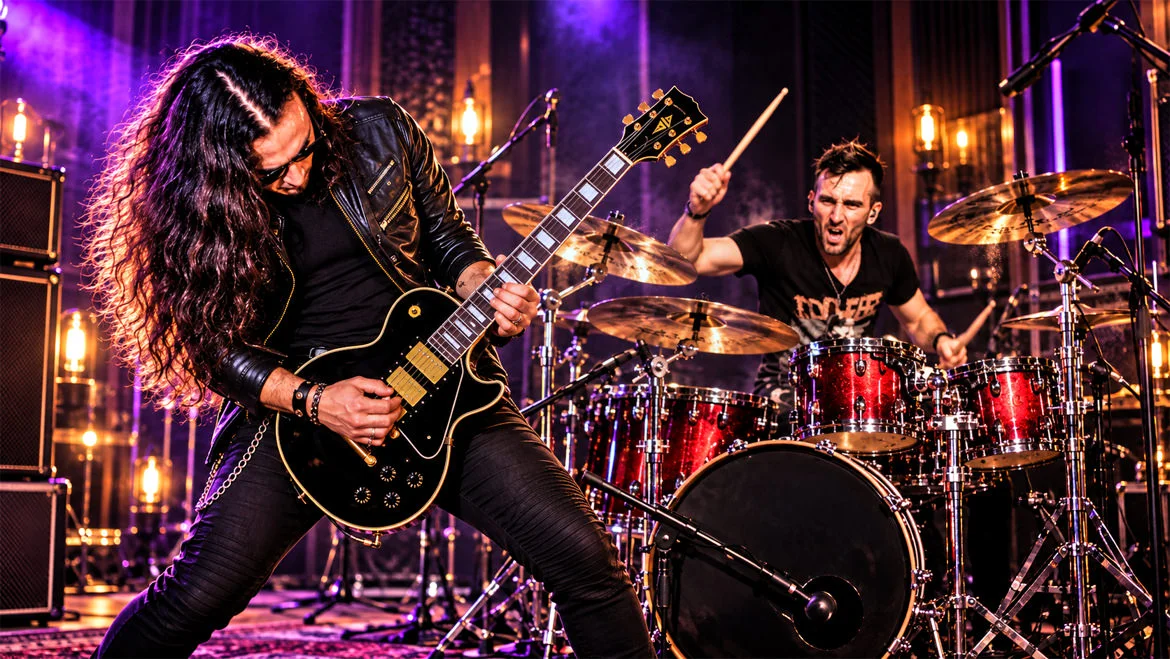
A faster way to record everything from rock to metal.

Try it 7 days for $1. No subscription, ever.

Needs a Mac with Apple silicon (M1 or newer)

  • $68.99Pay once · USD
  • All-in-oneTools built in
  • VST3Plug-ins
  • StemsTo any DAW

A DAW made for musicians.

Record, edit, mix and monitor in one clear view, so you stay in the song.

One screen. No digging.

Simplified mockup to show the layout. The real app has more controls and detail.

Set up once. Remembered forever.

Add your band and gear once. Every session after that opens ready to record.

  1. 01

    Add your musicians

    Each player and their instruments, once.

  2. 02

    Plug in your gear

    Interfaces and modelers are found and set up for you.

  3. 03

    Load the band

    Tones, inputs and settings come back instantly.

System requirements

Works with the gear you own

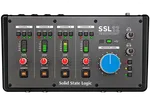
  • SSL 12SSL 12Interface
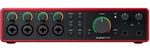
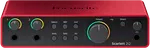
  • Scarlett 2i2Scarlett 2i2Interface
  • Scarlett 4i4Scarlett 4i4Interface
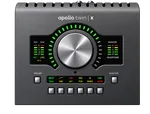
  • Apollo Twin XApollo Twin XInterface
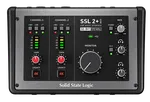
  • SSL 2SSL 2Interface
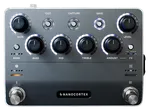
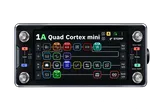
  • Nano CortexNano CortexModeler
  • Quad CortexQuad CortexModeler
  • Many moreKeys · drums

Everything you need to record heavy music.

Tone, timing and mixing tools for guitars, drums and vocals, built in. Simple to start, deep when you want it.

FX

Big analog tone. One slider each.

Warm, punchy and clear, tuned for rock and metal. You hear every move as you play.

  • Dialed in fast
  • Great sound without mixing know-how
  • Light on your computer
  • On tracks, groups and master
Instruments
Guitar · PRRR72%
Guitar · Power65%
Vocals · Control Freak60%
Vocals · Loudmouth70%
Stereo groups
Vocals · SuperGlue50%
Drums · Pressure60%
Master · real time
Tighten Up60%
Level Shield100%
Tone Weapon45%
Heaviest Metal70%

UNFAZED

Big guitars. No phase mush.

Recording a DI and a mic together? One click lines them up so your low end hits.

Phase checkDIMic
Together
Mic 2.1 ms late · flippedAligned · Ø flip · −2.1 ms

GridLock

Tight riffs. Real feel.

Pulls drifting guitar and bass onto the drums or click. Locked in, never robotic.

Timing · Bar 9DrumsGuitar
DrumsRhythm Gtr
Guitar ±7 ms off the beatTight · feel kept · ±1 ms

WATCHDOG

Never lose a great take to tuning.

Checks your tuning as you record and flags a slipping string the moment it drifts.

CHOPSHOP

Your best takes. One killer track.

Picks the best bars from every take and stitches them into one. Guitars, vocals and drums.

SONG MAP

Tempo changes. Handled.

Slow verse, fast chorus, odd-time breakdown? The click and count-in follow every change.

Song map5 sections
Intro
Verse
Chorus
Breakdown
Outro
Intro4 bars1204/4
Verse16 bars1204/4
Chorus16 bars1324/4
Breakdown8 bars907/8
Outro4 bars1204/4
Chorus · bar 1 of 16 · 132 BPMLoop

GEARLOCK

Plug in. It just works.

Connect your interface or modeler and CHUG sets it up. No routing menus.

Gear detectedNano Cortex
Nano Cortex Guitar modeler · USB RecognizedScanning USB…
IN 1Clean DI
IN 3–4Processed
Mapped · 2 inputs · readyRe-scan

LIVE

Rehearsals and small gigs, covered.

Run CHUG through your PA. Two layers of feedback protection keep loud vocals in check.

Live setThrough the PA
MasterTo the PAFeedback Guardian
Vox 1VocalsKill SwitchFX
Rhythm Gtr LGuitarFX
BassBassFX
Feedback caught · 2.5 kHzFeedback caught · 2.5 kHzTest ring

MONITOR

Record with the sound that inspires you.

Hear your finished tone while you record, tools and all.

Live monitorOn
You play
You hear
Now
Full tone · 3.1 msDry DI · tools bypassedTools

Record it here. Mix it anywhere.

Capture the idea fast. One click preps every track for a pro mix. Or mix and master it right here.

Your session Friday Demo12 tracks
Drops into any DAW
  • Pro Tools
  • Logic Pro
  • REAPER
  • + any other DAW

Hit record. Stop worrying.

The take you just nailed won’t disappear.

  • Saved

    Every take, kept

    Saved to disk as you play, so a crash can’t take it.

  • Restored

    Back where you left off

    If something goes wrong, CHUG reopens your session and recovers what it can.

  • Safe Mode

    Plug-ins can’t sink it

    Plug-ins run on their own, so a bad one can’t take CHUG down.

  • Disk watch

    Warned before the disk fills

    CHUG watches free space and tells you before a take is at risk.

BetaEarly-access price

Pay once. Own it.

$68.99 one-time

$119.99−43%Save $51

One-time payment · USD · No subscription

Download for macOSSoon

Not sure yet? Try it 7 days for $1.

Apple silicon Macs only · M1 or newer. Intel Macs aren’t supported.

  • Every toolCHUG FX included
  • VST3Your plug-ins
  • 2 MacsOne license
  • Free updatesThrough July 2027

Windows version coming soon

In beta through December 2027. By purchasing you accept the Terms of Use and Privacy Policy.

Full pricing details

Good questions. Straight answers.

Still stuck? Email imlost@chugdaw.com. A person reads every one.

How much does CHUG cost, and can I try it first?

$68.99 USD once during the beta sale (43% off the regular $119.99), for up to 2 computers. Want to try it first? Get 7 days for $1.

What computers does CHUG support?

Macs with Apple silicon (M1 or newer). Intel Macs aren’t supported. A Windows version is coming soon.

Do I need to know how to mix?

No. That’s the point. Each sound has one slider, and the tools are already tuned for rock and metal, so you get a great sound without touching an EQ or compressor.

What makes CHUG different from other DAWs?

Most DAWs are built to go deeper. CHUG is built to go faster: one screen, tools tuned for rock and metal, and setup it remembers. From first riff to finished song, without the engineering homework.

I already use Logic or REAPER. Why add CHUG?

Use CHUG to get ideas down fast and track heavy guitars. When it’s time to mix, one click exports every track, lined up and ready to open in Logic, REAPER, Pro Tools or any other DAW.

Can I use the gear I already own?

Most likely. CHUG recognizes popular audio interfaces like the SSL 2 and 12, Focusrite Scarlett and Apollo Twin X, guitar modelers like the Quad Cortex and Nano Cortex, plus MIDI keyboards and electronic drums. All you need to start is an interface and your instrument.

What happens if CHUG crashes? Will I lose a take?

No. Takes are saved as you record, so a crash can’t wipe them, and CHUG reopens your session where you left off. Plug-ins run in Safe Mode, so a bad one can’t take CHUG down. You’re also warned before your disk runs low.

Can I record a whole band?

Yes. With a multi-input interface you can record guitars, bass, drums and vocals at the same time, plus MIDI keyboards and electronic drums.

What if I’m not happy, or want a refund?

Email imlost@chugdaw.com and tell us what’s wrong. A person reads every message, and we’ll work with you to make it right. Your rights under consumer law always apply; see section 6 of the Terms of Use.

Is CHUG a subscription?

No. You pay once and keep it. Every built-in tool is included, with free updates through July 2027.

Is CHUG a good DAW for beginners?

Yes. There’s no jargon to learn and one slider per sound, and setup is remembered, so you spend your time playing. It’s fast for experienced players too.

Will CHUG remember my gear and my band?

Yes. Add your musicians and their instruments once and connect them to your interface once. Group them into a band, then load the whole lineup into any session with their tones and settings.

Can I use my own VST3 plug-ins?

Yes. CHUG hosts VST3 plug-ins, so your favorites come with you. You don’t need them to get started: the built-in tools are ready the moment you open a session.

Do I need plug-ins to get a great sound?

No. The built-in tools cover guitars, bass, drums, vocals and the master. They’re tuned for heavy music, light on your computer, and good enough to finish a mix. Plug-ins are there when you want them.

Can I use my guitar modeler?

Yes. Record your modeler’s sound directly and capture a clean DI alongside it, so you or your mixer can re-amp it later.

Can I record real drums?

Yes. Record a full mic’d kit through a multi-input interface, then use CHUG’s drum tools to add punch, weight and control.

Does CHUG work with electronic drums and MIDI keyboards?

Yes. Plug in a compatible electronic drum kit or MIDI keyboard and record your performance straight into CHUG.

Is CHUG good for recording vocals and screams?

Yes. CHUG has tools made for vocals, from clean singing to screams and distortion, with feedback protection for when you sing through a PA.

Can CHUG fix my timing and pick my best take?

Yes. GridLock pulls guitar and bass onto the drums or click, phrase by phrase. Chopshop builds one take from the best bars of several, and you hear it before you keep it.

Does CHUG handle tempo and time-signature changes?

Yes. Song Map splits a song into sections, each with its own tempo and time signature. The click, count-in, ruler and snapping follow along, and your recordings stay put if you change the map.

Can I import audio or play along to a backing track?

Yes. Drop in audio and choose whether it’s part of the recording, a backing track or a reference. Your original file is never changed.

Can I control CHUG from my phone?

Yes. CHUG LINK™ lets each musician switch rigs, arm their track, set their own monitor mix and click, and check their tuning from their phone over Wi-Fi.

Can I use CHUG live?

Yes, for rehearsals and small gigs. Run CHUG through your PA with the same tools you recorded with. Feedback Guardian and Kill Switch catch feedback before the room hears it.

What audio formats can I export?

WAV (16-bit, 24-bit or 32-bit float) and M4A.

Can I send my recordings to a mixing engineer?

Yes. Export the mix, every track, clean guitar DIs, the click, MIDI and a Song info note as one organized ZIP that opens in Pro Tools, Logic Pro, REAPER or any other DAW.

Will CHUG slow my computer down?

CHUG and its tools are built to be light, so recording and mixing stay smooth.

Why is CHUG on sale during the beta?

CHUG is still in development, and real players help shape it and make sure it works right. The beta price is our thank-you.

Can I use CHUG if I don’t play rock or metal?

Sure. CHUG is built for heavy music, but nothing stops you using it for any style.

Does CHUG replace a professional studio?

CHUG lets you make serious recordings at home, from demos to finished songs. Studios still offer specialist rooms, gear and engineers when you need them.

We believe finishing fast is a beautiful thing.

Start your next song tonight. Finish it here, or take it anywhere.

$68.99 USD one-time · 7-day trial for $1 · M1 or newer Macs · VST3 support